
SWAT Elite Force Getting Started
From Gold Edition install to first SEF launch — folder layout, GOG One-Click, and the mistakes that break the mod.
Requirements
SWAT: Elite Force requires SWAT 4: Gold Edition (base game + The Stetchkov Syndicate). Retail CD/DVD, older digital bundles, and the GOG release all work if both Content and ContentExpansion folders exist in the game root.
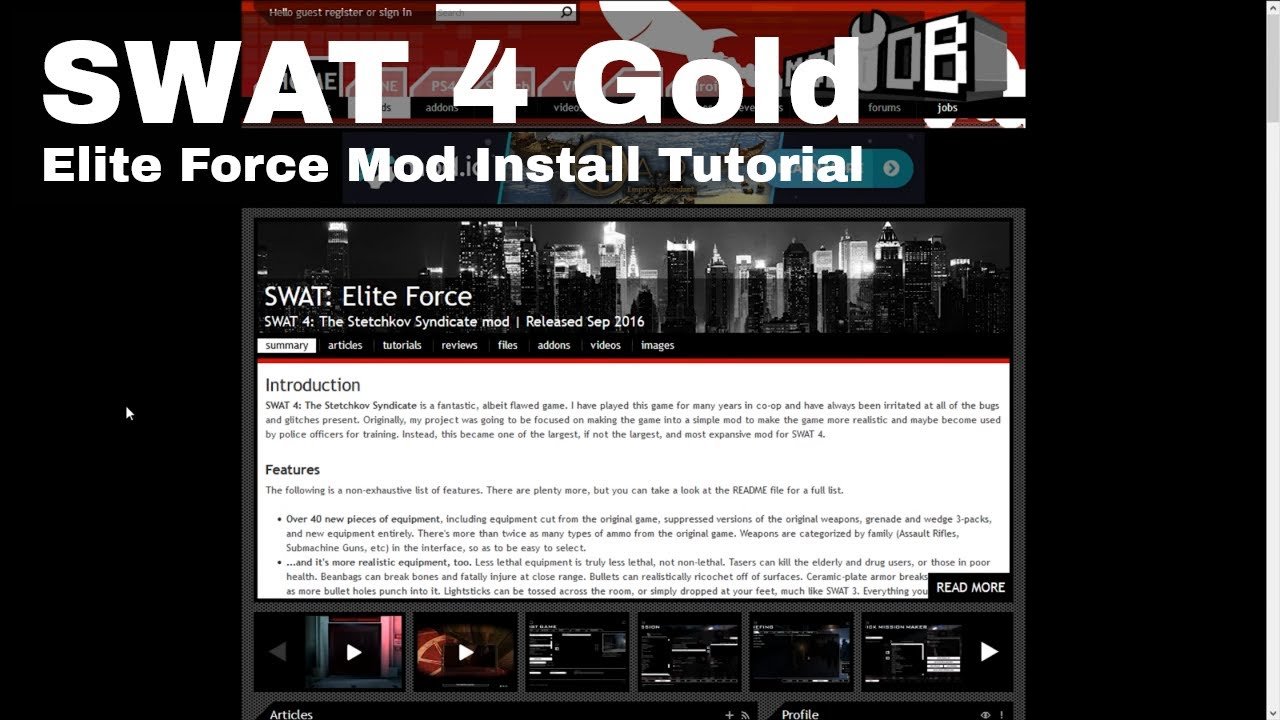
SEF itself is free. Latest recommended build: v7.2 (July 20, 2025), about 479 MB on ModDB. GOG users can enable the GOG One-Click Mod for SEF instead of (or in addition to) managing a manual zip — you still need the base Gold Edition owned on GOG.
Optional but useful: a mic for Speech Commands, GameRanger for Multiplayer & CO-OP, and write permission on the SWAT 4 directory so settings save on modern Windows.
Download the right package
On ModDB, grab the full SWAT: Elite Force v7.2 archive — not an ancient v6 upgrade chain. v7.2 is distributed as a complete install, not a tiny diff on top of v7.1. Uninstall or delete older SEF folders before extracting the new one; assets moved between versions, and mixed trees cause missing meshes and multiplayer checksum pain.
GitHub (eezstreet/SWATEliteForce) hosts source and documentation. Day-to-day players should prefer ModDB or GOG One-Click for binaries unless they intend to compile.
Critical folder layout
- Locate your SWAT 4 root — the directory that already contains
ContentandContentExpansion.- Typical retail:
C:\Program Files (x86)\SWAT 4or...\Sierra\SWAT 4 - Typical GOG:
C:\GOG Games\SWAT 4
- Typical retail:
- Extract so you get a folder named
SEFsitting next to those two folders. - Final shape:
SWAT 4\
  Content\
  ContentExpansion\
  SEF\
    LaunchSEF.bat  (or Launch SEFMod.bat / LaunchSEF.exe)
    System\
    ...
Do not dump SEF files inside Content or ContentExpansion. Overwriting vanilla packages breaks both the mod and often the base game. If you already merged incorrectly, restore vanilla files from a clean install, then place SEF beside the Content folders again.
Launch the mod (not vanilla)
Use the launcher inside the SEF folder:
LaunchSEF.bat/Launch SEFMod.batfor normal playLaunch SwatEd.batonly if you need the editor
Shortcuts should point at those SEF launchers. Starting Swat4.exe from Content\System loads vanilla without SEF systems.
For speech recognition, run the SEF launcher as administrator once Windows Speech is configured — see Speech Commands and Settings & Troubleshooting.
GameRanger players follow extra rename steps documented in Multiplayer & CO-OP (LaunchSEF.exe in SEF\Extras oriented as SWAT4X.exe for detection).
First-launch checklist
- Confirm the main menu shows SEF branding / version context (not a plain vanilla menu).
- Open Video options: set a widescreen resolution, adjust FOV, disable mouse smoothing if you want modern feel.
- Open Audio: enable Use Speech Recognition only after the Speech API works; otherwise leave it off.
- Create a Career — start with the consolidated SWAT 4 + TSS campaign before Permadeath or Hardcore.
- Enter Training and use the weapon cabinets to sample ADS and recoil with a light kit.
- Skim Loadouts before your first scored mission so weight/bulk does not surprise you mid-entry.
If settings refuse to save or you see assertion failures in menus on Windows Vista+, give the SWAT 4 / SEF folders write permission (“Total Control”) or run the SEF executable as administrator. Details and silent-audio fixes are in Settings & Troubleshooting.
GOG One-Click notes
GOG’s One-Click Mod path installs a maintained SEF build with less manual unzipping. Still verify that you launch through the SEF-enabled shortcut GOG provides, and that you did not also layer a second conflicting ModDB copy on top. One SEF tree per game root is enough.
After install: what to learn next
- Equipment philosophy and magazine counts → Loadouts
- Career types, Fairfax tips, scoring → Campaign Walkthrough
- Voice orders → Speech Commands
- Friends online → Multiplayer & CO-OP
- Patch awareness → v7.2 Changelog
Browse the Guides Hub anytime you need the full map. Official files and Discord links stay on the Links Hub.
Common install failures (quick)
| Symptom | Likely cause |
|---|---|
| Mod “installed” but gameplay feels vanilla | Launched wrong EXE; SEF not beside Content |
| Crashes / missing weapons | Old SEF mixed with v7.2; incomplete extract |
| Settings reset every run | No write permission on game folder |
| GameRanger aborts | Wrong EXE mapping or VC++ redist missing |
| Speech checkbox greyed out | Speech API / LANGID / non-US Windows — see speech guide |
Mindset for the first hour
SEF expects you to check locks, respect traps, manage bulk, and report incapacitations. Do not bring every grenade “just in case” on mission one. Run a clean light kit, practice falls-ins and stack-ups with the graphic command menu, and only then layer speech or co-op complexity.
When something feels broken, confirm you are on v7.2, confirm folder layout with Windows Explorer (not assumptions), and compare behavior against the Wiki Overview. Most “SEF is broken” reports are still install-path problems.
You are ready when Training feels responsive, a career exists, and you can explain where the SEF folder lives relative to Content. Move on to loadouts and the campaign guide from there.
Frequently Asked Questions
Quick answers to the most common questions.
Where do I put the SEF folder?
Next to Content and ContentExpansion in the SWAT 4 root — never inside those folders.
How do I launch SWAT: Elite Force?
Run LaunchSEF.bat / Launch SEFMod.bat (or the GOG SEF shortcut) from the SEF folder, not the vanilla Swat4.exe.
Can I upgrade v7.1 to v7.2 with a tiny patch?
No. v7.2 ships as a full package. Remove the old SEF folder and install v7.2 cleanly.
Does GOG support SEF?
Yes. Use GOG One-Click Mod for SEF or install the ModDB build beside Content as usual.
Why won’t my settings save?
Modern Windows often blocks writes under Program Files. Grant write permission on the SWAT 4 directory or run the SEF launcher as administrator.